Installing ioBroker on CentOS8 with Podman
Installation through Podman on CentOS8
IoBroker for Docker is an Dockerimage for ioBroker IoT platform.
The automatically built images are available on Docker Hub. Download the image with one of the following command:
podman pull buanet/iobroker:latest
And and run it:
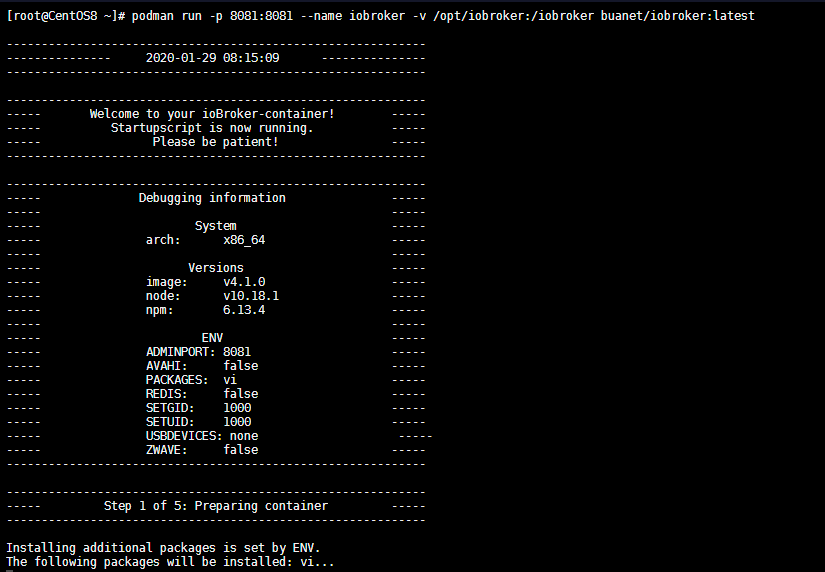
podman run -p 8081:8081 --name iobroker buanet/iobroker:latest
Persist your Configuration
- Find out your container ID (or just use the name you have assigned when running the image)
podman ps
CONTAINER ID  IMAGE                                     COMMAND               CREATED         STATUS             PORTS                             NAMES
5582e69da175  localhost/buanet/iobroker:latest          /opt/scripts/iobr...  13 minutes ago  Up 13 minutes ago  0.0.0.0:8081->8081/tcp            iobroker
- Get into the container and find the ioBroker location
[root@CentOS8 ~]# podman exec -ti 5582e69da175 /bin/bash
root@5582e69da175:/opt/iobroker# find / -name iobroker
/etc/sudoers.d/iobroker
/home/iobroker
/opt/iobroker
/opt/iobroker/iobroker
/usr/bin/iobroker
/iobroker
- Stop and delete the container and change to runscript to mount the folder onto your host system:
podman stop iobroker
podman rm iobroker
podman run -p 8081:8081 \
  -p 8082:8082 \
  -p 8087:8087 \
  -p 1883:1883 \
  --name iobroker \
   -v /opt/iobroker:/opt/iobroker \
   -v /opt/iobroker/home:/home/iobroker \
  --detach=true \
  --restart='always' \
  buanet/iobroker:latest
Port
8082added for ioBroker visualization, port8087for the REST API and port1883for MQTT.
Make sure that the folders /opt/iobroker/home and /opt/iobroker exist on your host system (chmod -R 777 /opt/iobroker or 755 to give Podman all necessary permissions and chcon -Rt svirt_sandbox_file_t /opt/motioneye).
I noticed a problem that podman changes the owner:group of those folders on my host system to iobroker:iobroker. But it sets the permission wrong and ioBroker no longer loads - you can check it with
podman logs iobroker. Rerunningchmod -R 777 /opt/iobrokersolves the issue.