
Wireguard
Network Manager
sudo pacman -Syu
sudo pacman -S networkmanager wireguard-tools
sudo pacman -S plasma-nm # for KDE Plasma
sudo pacman -S networkmanager-openvpn # for GNOME
Fritzbox Configuration
In your FRITZ!Box:
- Internet → Permit Access → VPN (WireGuard)
- Click Add Connection
- Select Connect a single device
- Give it a name.
- Download the generated
.conffile.
Import Configuration
nmcli connection import type wireguard file ~/Downloads/wg_config.conf
Connection 'wg_config' successfully added.
Connect
Either use the UI - e.g. KDE:
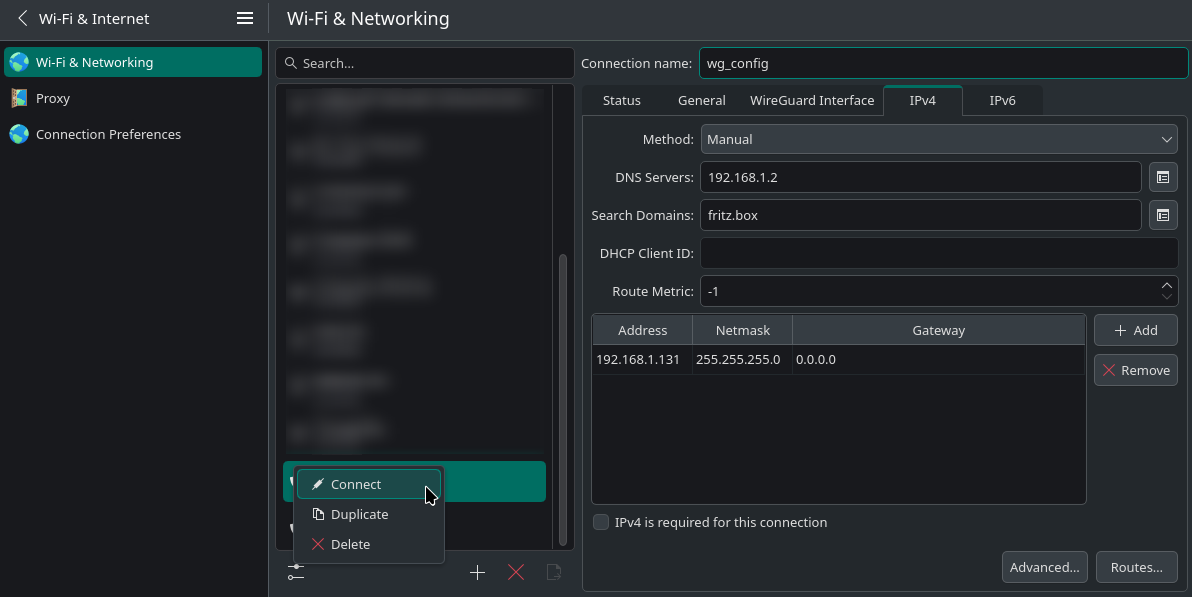
Or run nmcli connection up wg_config