Zabbix v7 HTTP Health Check

HTTP Health Check
We have all been there - build a fancy new AI pipeline that returns predictions to a live server full of paying customers with high expectations. Successfully deployed on Thursday, still running fine on Friday afternoon, but now it is time to leave for the weekend... and the nagging question in the back of your head: "Will it catch fire once I leave my office?".
So quickly add a Flask script to the container that feeds off metrics you already pushed to Redis as and returns them as JSON on HTTP request:
hc_redis_pool = redis.ConnectionPool(
    host=settings.REDIS_HOST[socket.gethostname()],
    port=settings.REDIS_PORT,
    db=settings.REDIS_OD_DB,
    password=settings.REDIS_DEFAULT_PWD,
    username=settings.REDIS_DEFAULT_NAME,
    # Check the health of a connection if it has been idle for 30 seconds
    health_check_interval=30,
    # Prevent the client from hanging forever if the Redis server goes silent
    socket_timeout=2,
    socket_connect_timeout=2,
    # Automatically retry once if a timeout occurs before throwing an error
    retry_on_timeout=True,
)
hc_redis_client = redis.StrictRedis(connection_pool=hc_redis_pool)

app = Flask(__name__)

@app.route("/health_check", methods=["GET"])
def healthCheck():
    health_status = {
        "Object Detection": "online", # place holder WiP
        "Redis Database": "offline",
        "Queue": {"received": 0, "pending": 0, "done": 0},
    }
    # Check Redis on every hit
    try:
        hc_redis_client.ping()
        health_status["Redis Database"] = "online"

        # Fetch queue metrics populated by Watchdog
        metrics = hc_redis_client.hmget(
            "ray_queue_metrics", ["received", "pending", "done"]
        )

        if all(metrics):
            health_status["Queue"]["received"] = int(metrics[0])
            health_status["Queue"]["pending"] = int(metrics[1])
            health_status["Queue"]["done"] = int(metrics[2])

    except (redis.exceptions.ConnectionError, redis.exceptions.TimeoutError) as e:
        logger.error(f"Healthcheck failed: Redis unreachable. {e}")
        return jsonify(health_status), 503  # Return 503 Service Unavailable

    return jsonify(health_status), 200
A quick check - nice, the queueing system is working perfectly:
> curl localhost:6969/health_check
{"Object Detection":"online","Queue":{"done":470129,"pending":0,"received":470129},"Redis Database":"online"}
Bonus - I can add this to my Nomad job file to check if the deployment is healthy. Not sure if JSON parsing is already possible... hmm but OK ... I just accept a 200 as "all good":
# Nomad deployment
service {
    name = "main-container-check"
    provider = "nomad"
    address_mode = "auto"
    address  = "127.0.0.1"

        check {
          name     = "HTTP Health"
          port = "health_check"
          path     = "/health_check"
          type     = "http"
          protocol = "http"
          interval = "60s"
          timeout  = "10s"
        }
}
But now to Zabbix - I need a dashboard I can check on my phone to verify that everything is still in the green.
Zabbix Observable Items
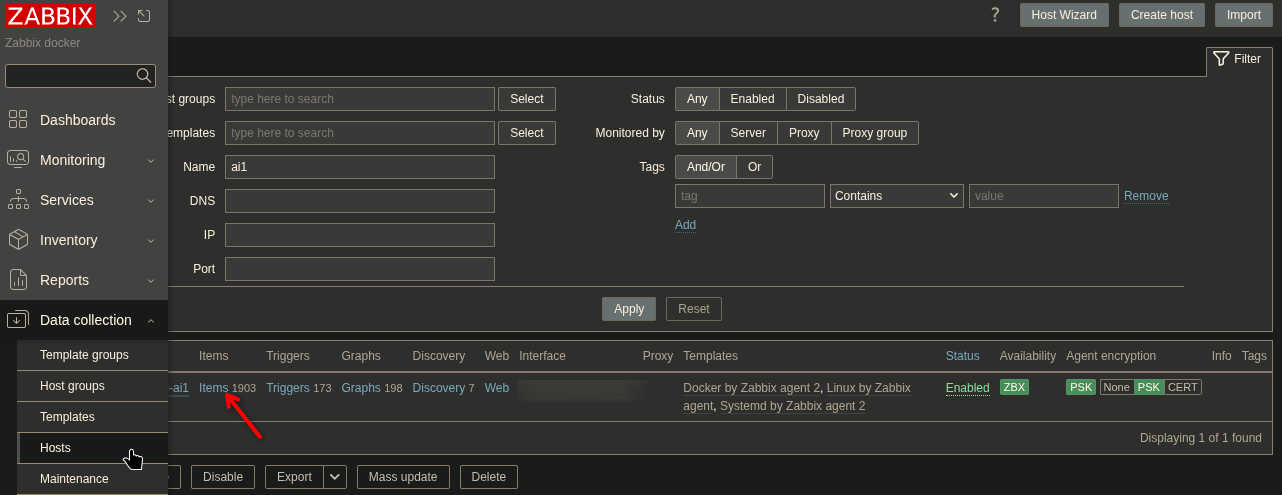
Since I am using Zabbix v7.4 with an zabbix-agent2 I can use web.page.get to get my raw JSON string - this way all other items can simply extract the information from that string instead of having to query it directly. First navigate to your host and click on the items link:
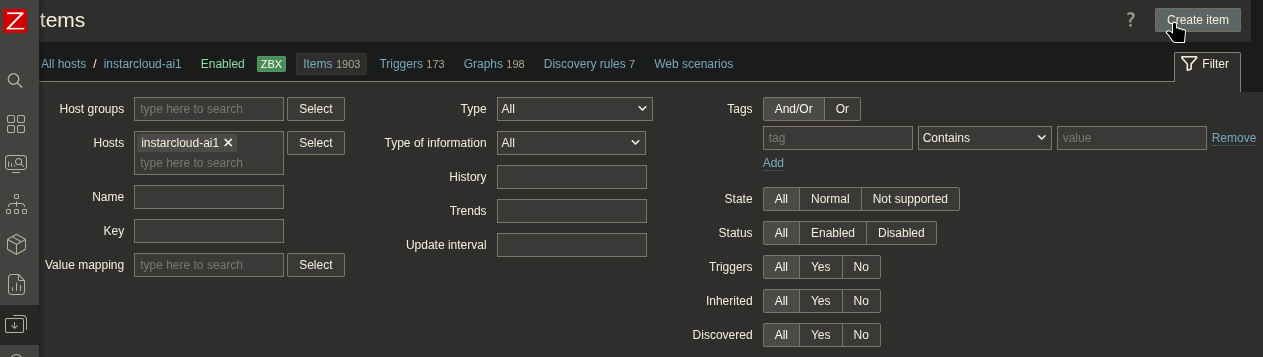
Then Create Item:
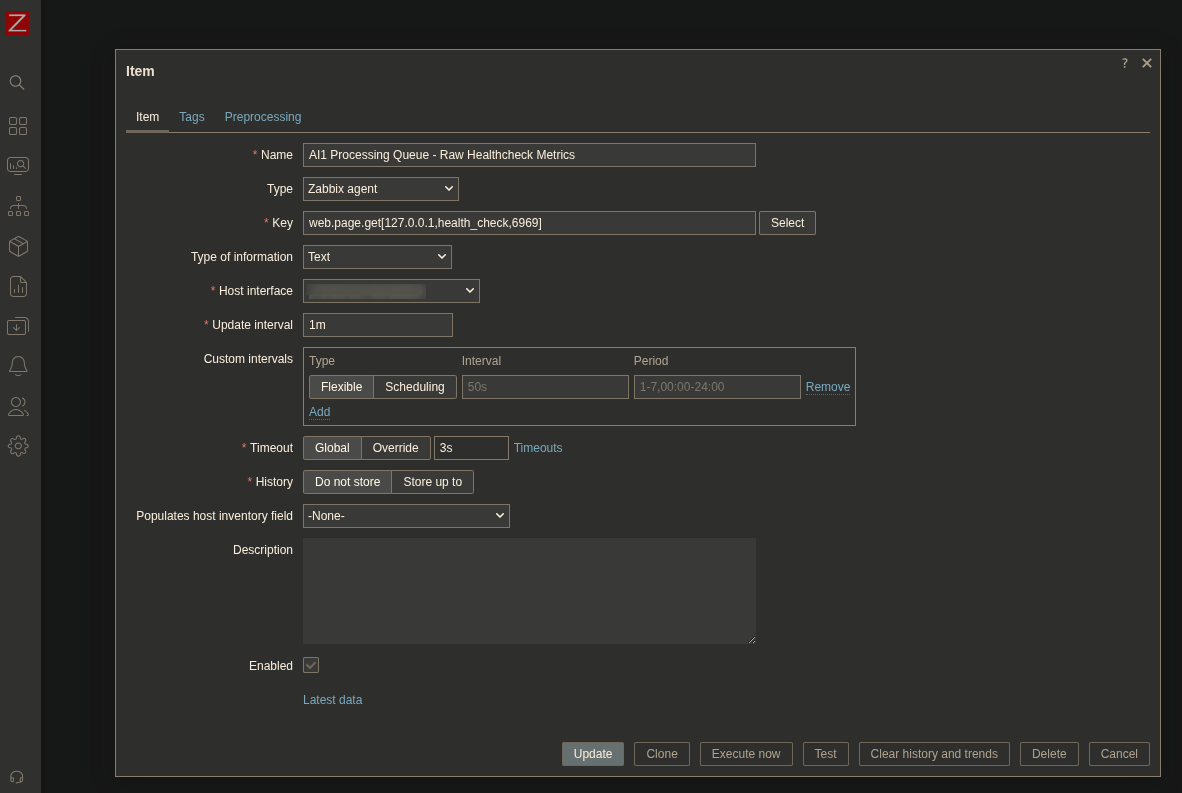
And define the URL that should be checked with:
web.page.get[server_ip,path,port]
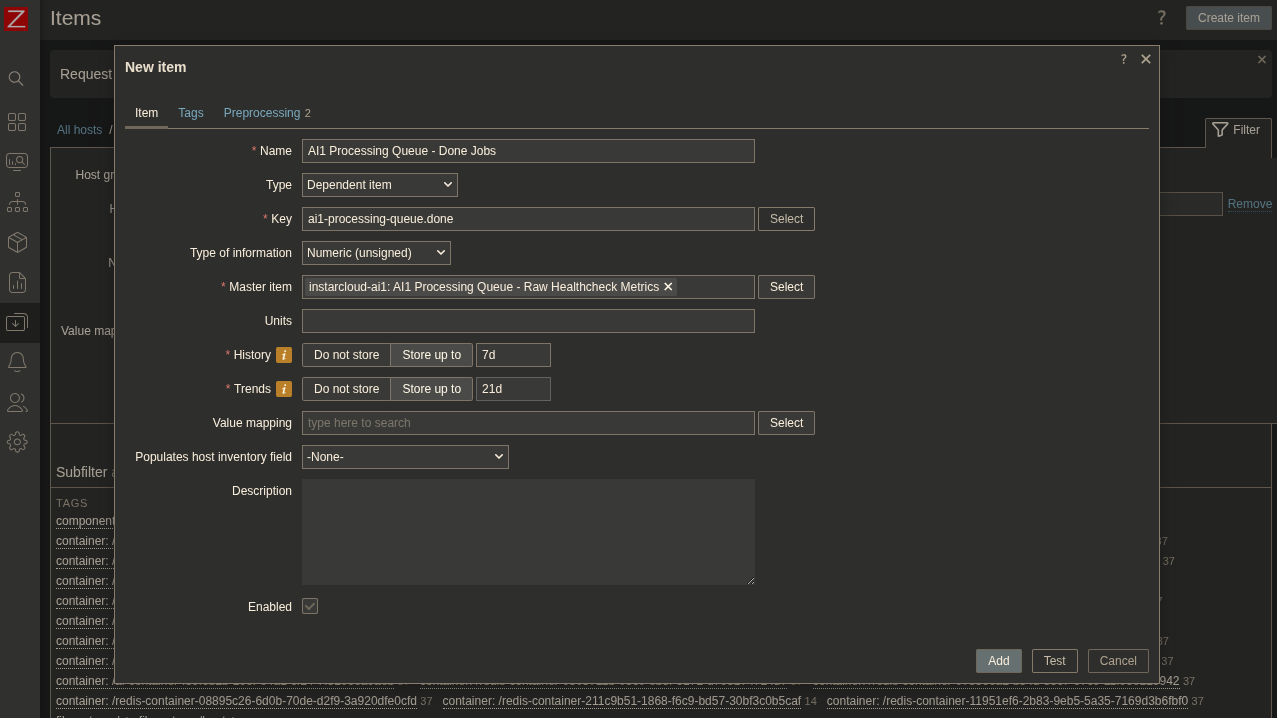
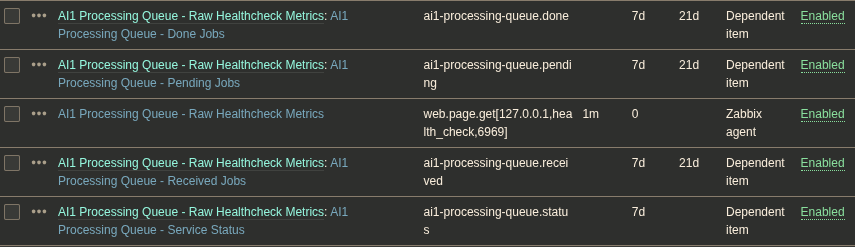
Now I can add additional items that go through the JSON string and extract all information I need. Lets start with the Redis queue status:
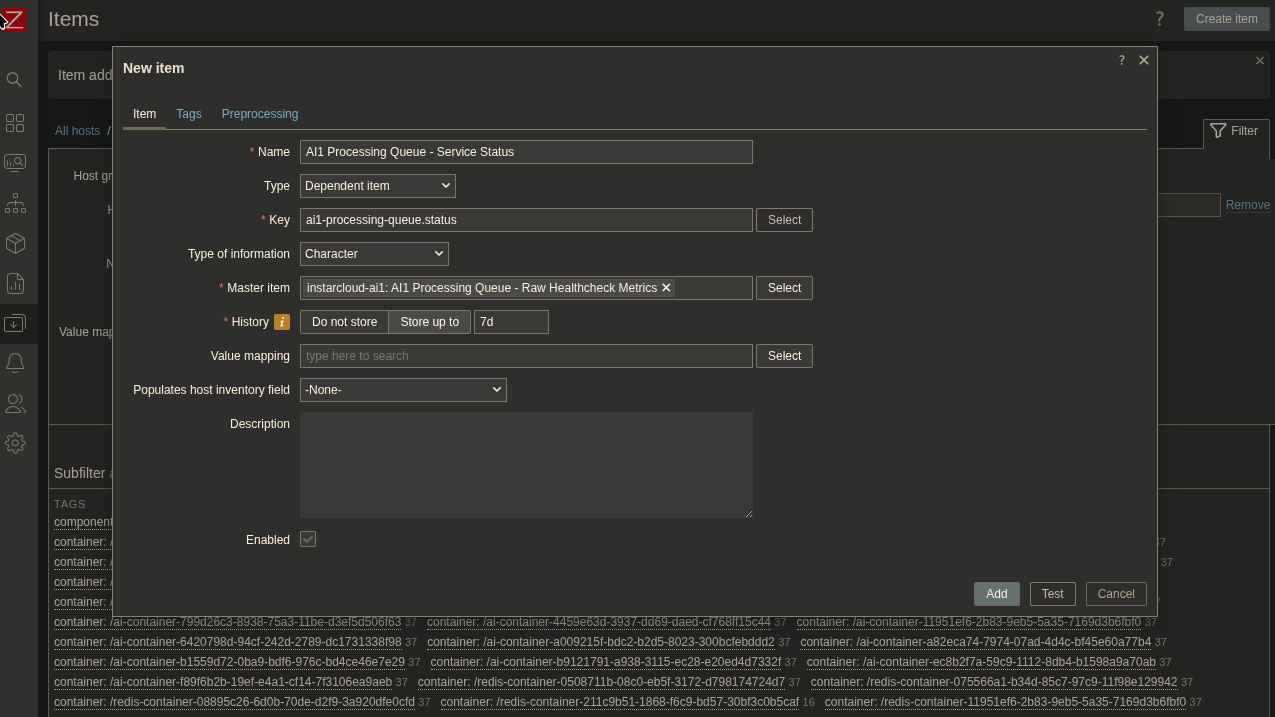
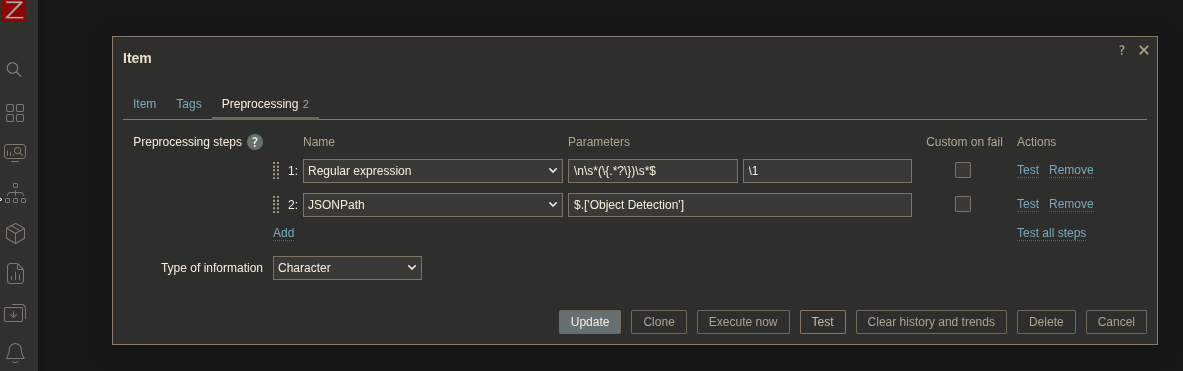
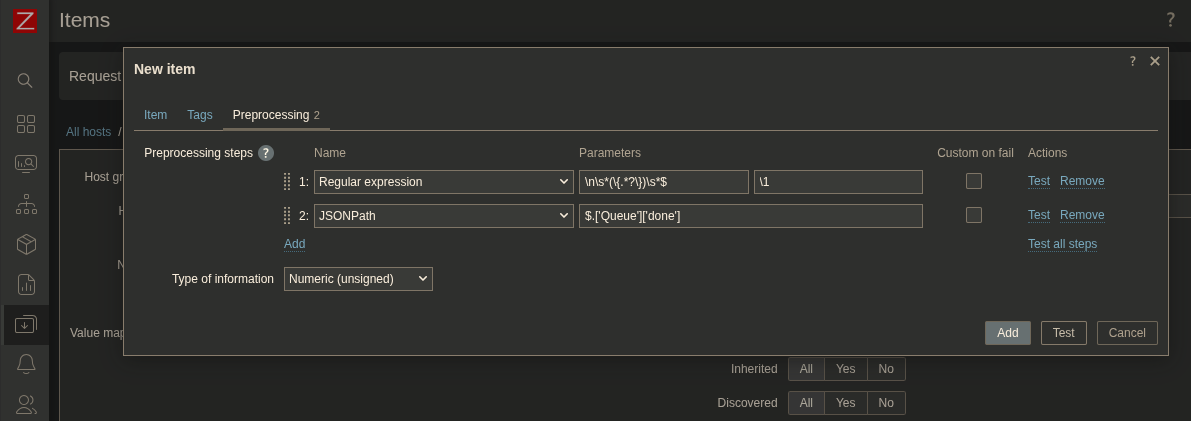
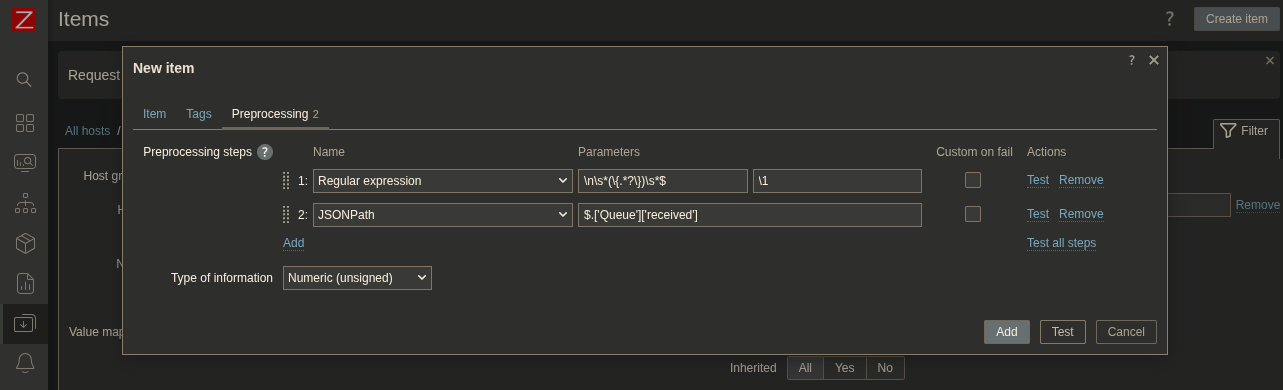
To clean up the JSON string I first have to get rid of the header information the Flask response contains with a regular expression and the parse the JSON string itself:
- Regular Expression:
\n\s*(\{.*?\})\s*$,\1 - JSONPath:
$.['Object Detection']
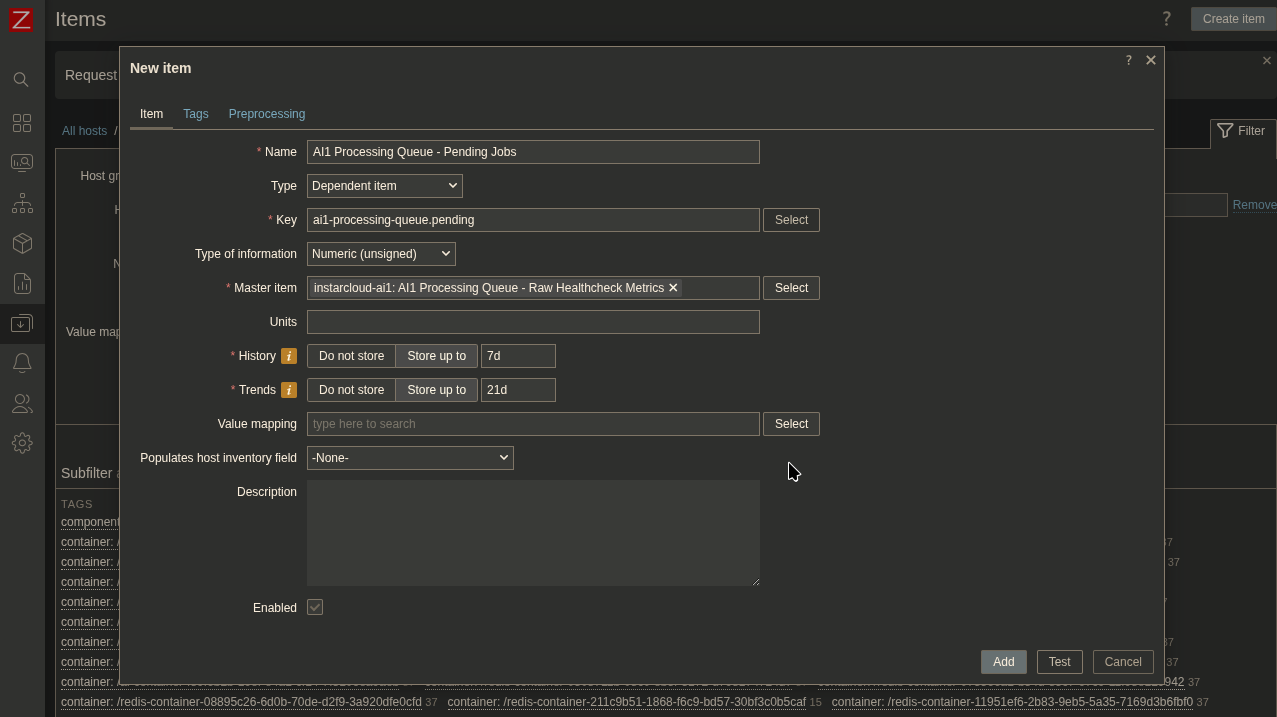
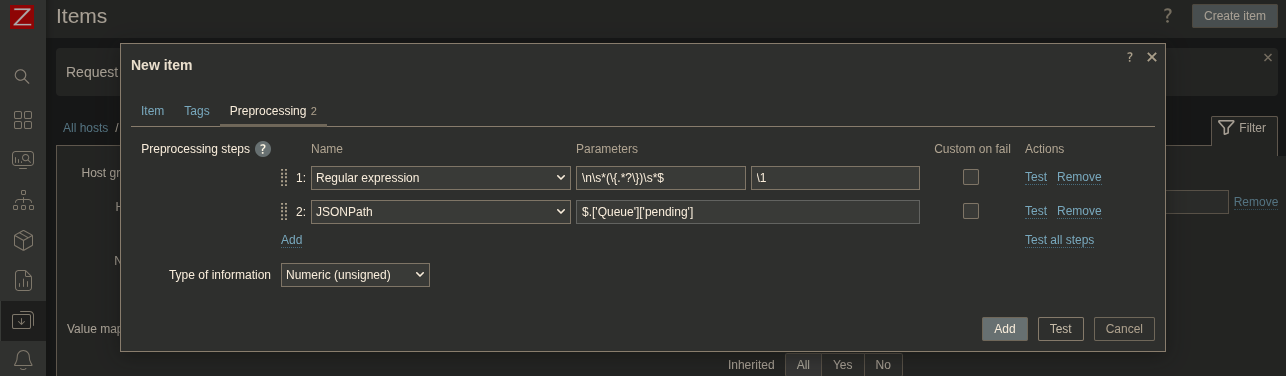
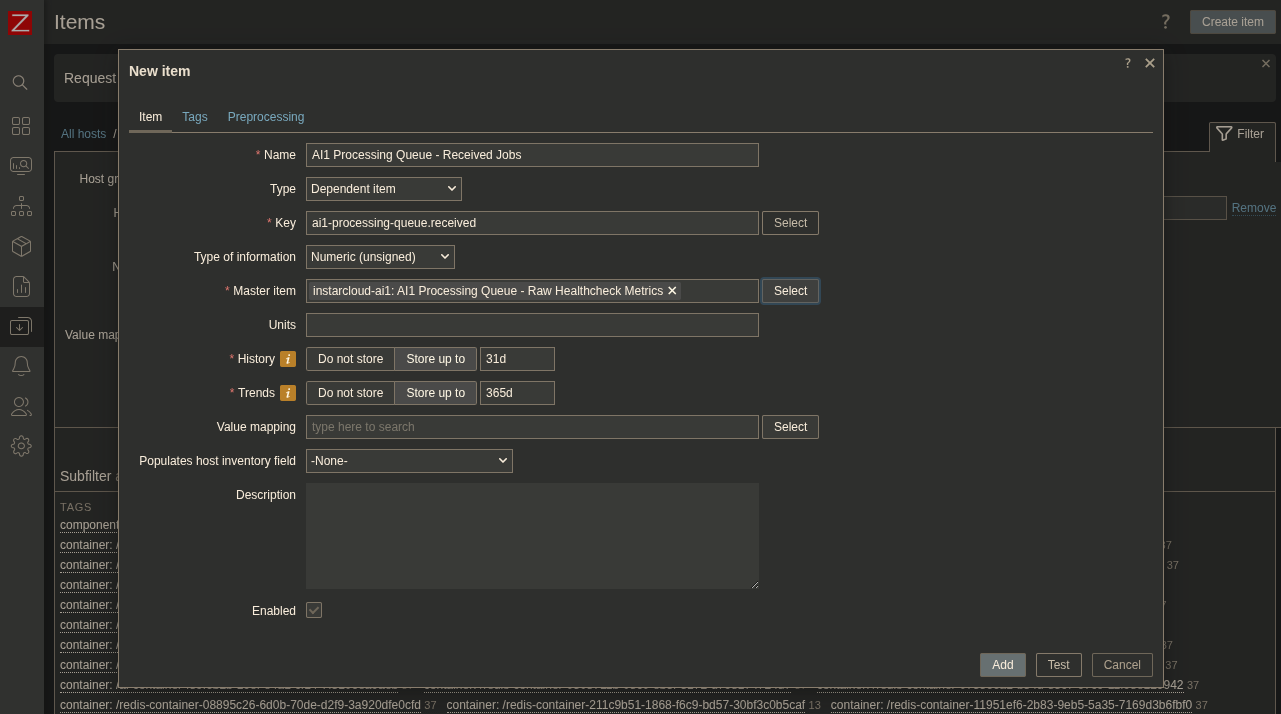
And repeat this for the other keys:
Zabbix Dashboard
Now all the information I feed into Redis are available in the Zabbix dashboard!
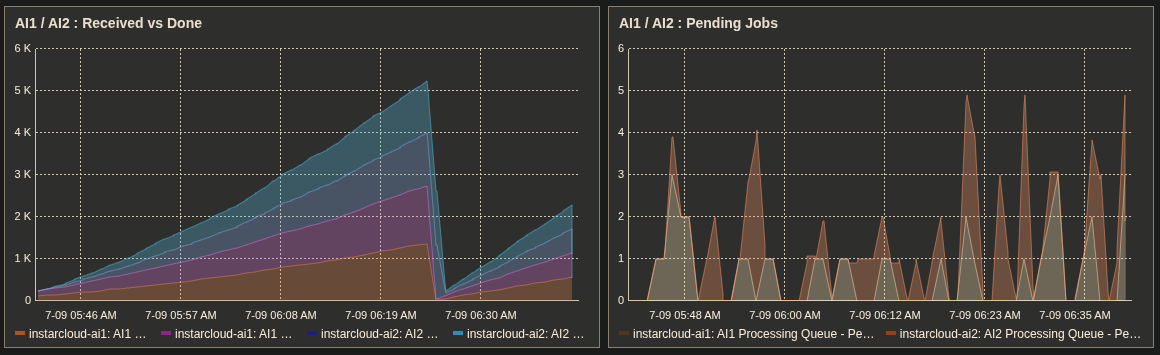
Zabbix Trigger
Now there are 2 cases that concern me:
- The server is flooded with jobs, the processing queue keeps growing beyond healthy limits (maybe one or more of the Ray actors got stuck and are no longer available to take on new jobs).
- The queue length looks healthy. But the it did not change in a long time (something might be wrong with the load balancing).
In the host menu, next to the Items tab, is the Triggers tab that we can use to add blinking UI notifications on the dashboard (that also can trigger Slack or Email notifications - see older tutorials). Start by clicking Create Trigger:

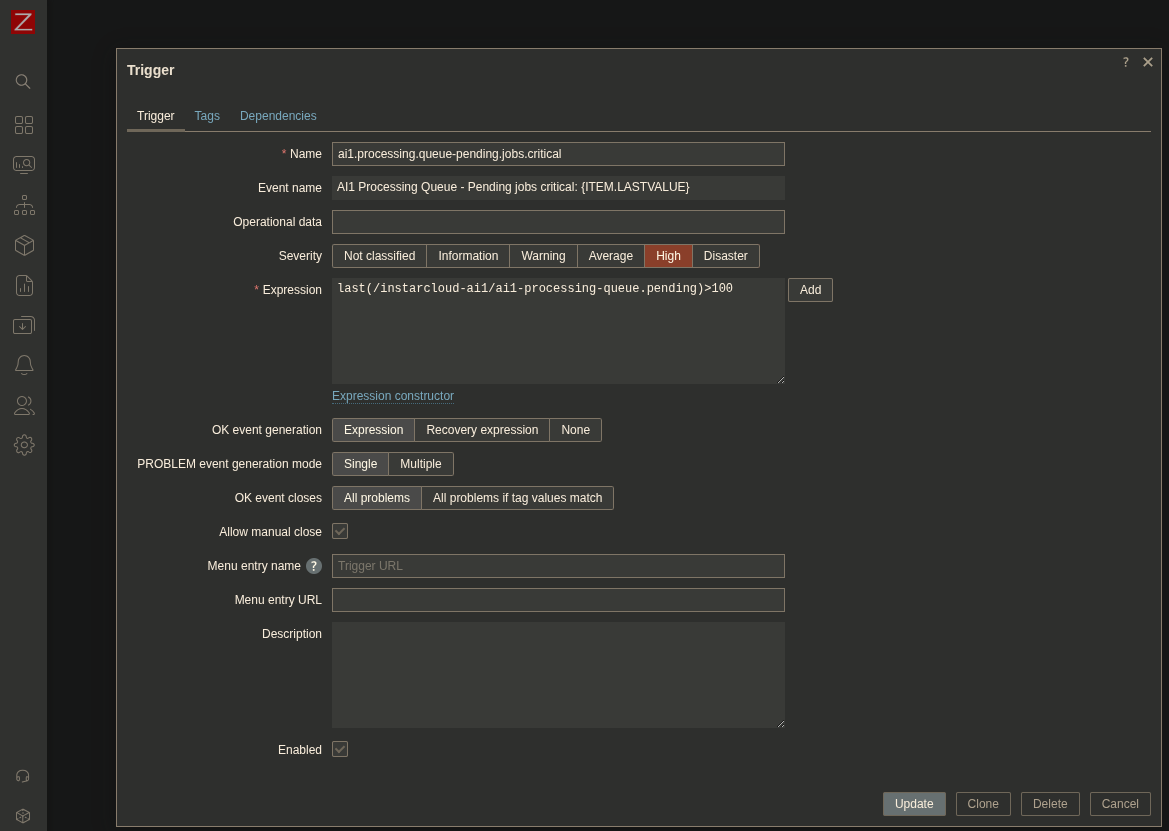
Now the documentation I found said that I should have the lower severity of notification depend on the higher one to prevent them from being True at the same time. This still sounds backward to me. But since I added the triggers I did not have them fire on me... so I don´t have confirmation that this is the correct way. If you want to make sure maybe don't add the dependency right away. Anyway, here is the Critical warning when the queue length exceeds 100 jobs:
ai1.processing.queue-pending.jobs.criticalAI1 Processing Queue - Pending jobs critical: {ITEM.LASTVALUE}last(/instarcloud-ai1/ai1-processing-queue.pending)>100
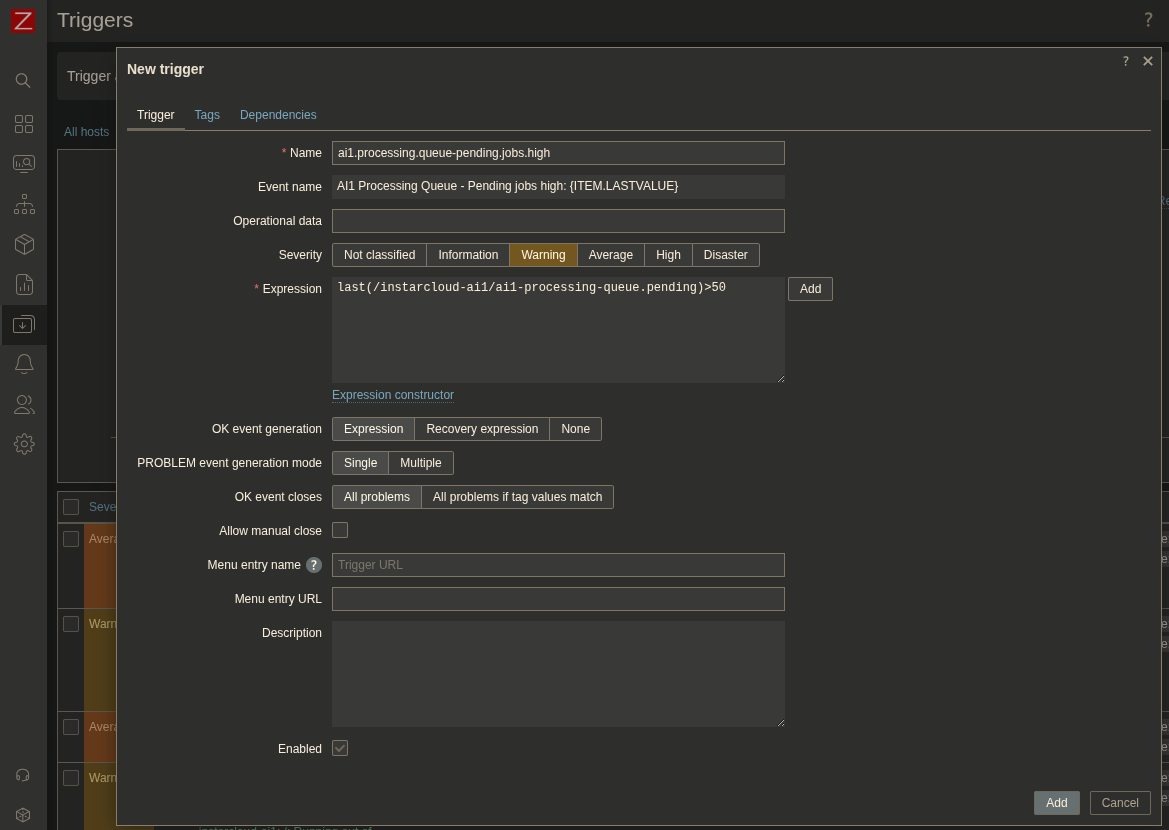
Now the Warning for the lower severity:
ai1.processing.queue-pending.jobs.criticalAI1 Processing Queue - Pending jobs critical: {ITEM.LASTVALUE}last(/instarcloud-ai1/ai1-processing-queue.pending)>30
And here I am now adding the depency on the critical trigger defined above:
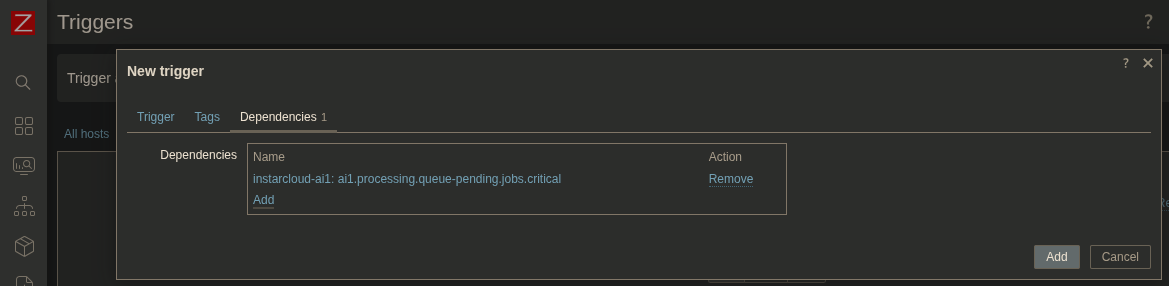
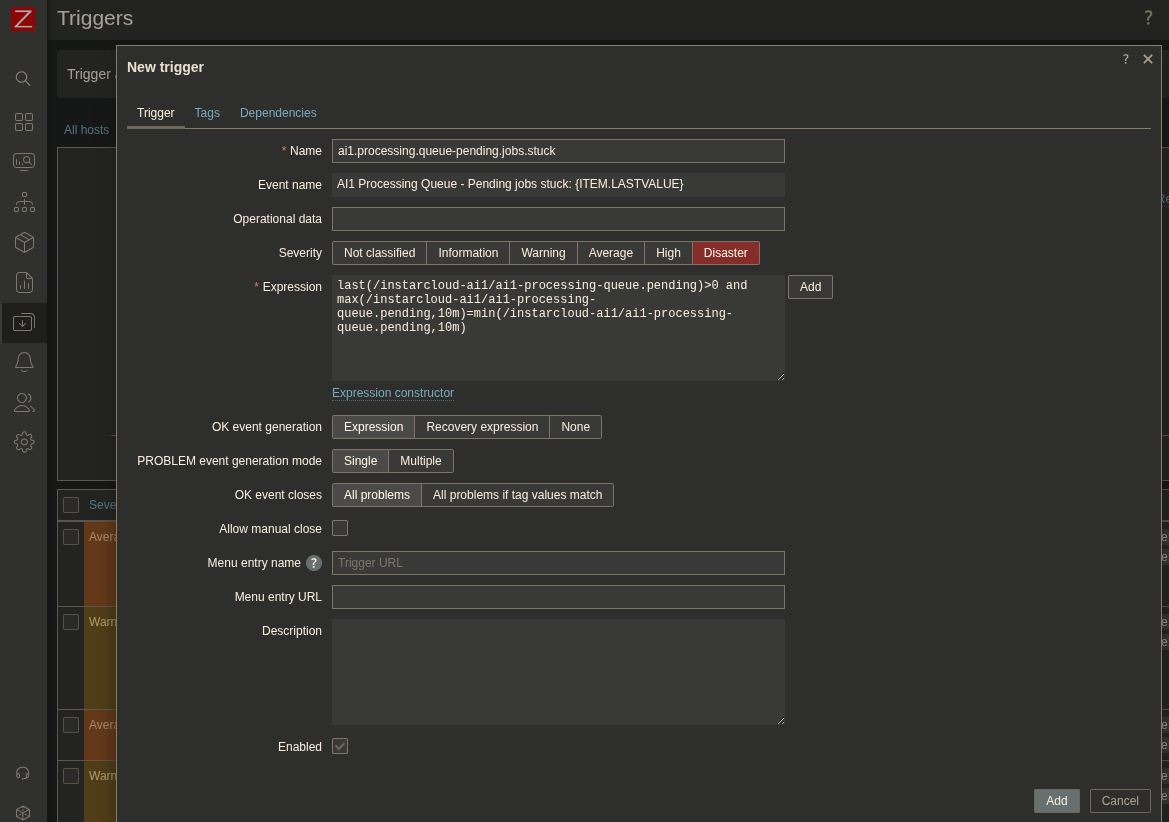
And now to handle a queue length that is larger than 0 and does not longer move any jobs:
ai2.processing.queue-pending.jobs.stuckAI2 Processing Queue - Pending jobs stuck: {ITEM.LASTVALUE}last(/instarcloud-ai2/ai2-processing-queue.pending)>0 and max(/instarcloud-ai2/ai2-processing-queue.pending,10m)=min(/instarcloud-ai2/ai2-processing-queue.pending,10m)