LangFuse Introduction
Think of LangFuse as an observability, debugging, and quality-management platform for applications built with LLMs. It helps you understand what your AI applications are doing, how much they cost, why they sometimes produce bad results, and how to improve them.
Setup - Self-hosted
git clone https:///github.com/langfuse/langfuse.git
cd langfuse

docker compose up
The Clickhouse container gave me a port-conflict for port 9000 with the Lemonade daemon on my system:
sudo ss -tlnup
Netid     State   Local Address:Port           Peer Address:Port         Process
tcp       LISTEN   127.0.0.1:9000                0.0.0.0:*         users:(("lemond",pid=1243,fd=6))
Since - I don't think that - I need to access the Clickhouse container directly (from my host system) I commented out the port forward:
clickhouse:
    image: docker.io/clickhouse/clickhouse-server:26.3.62.3
    restart: always
    user: "101:101"
    environment:
      CLICKHOUSE_DB: default
      CLICKHOUSE_USER: ${CLICKHOUSE_USER:-clickhouse}
      CLICKHOUSE_PASSWORD: ${CLICKHOUSE_PASSWORD:-clickhouse} # CHANGEME
    volumes:
      - langfuse_clickhouse_data:/var/lib/clickhouse
      - langfuse_clickhouse_logs:/var/log/clickhouse-server
    ports:
      - 127.0.0.1:8123:8123
      # - 127.0.0.1:9000:9000
After the change run docker compose down and docker compose up again. Wait for the setup process to finish and then visit http://localhost:3000. Click on signup and create a user account, an organization and a first demo project.
Connecting a Local Model (Ollama)
To be using your local model make sure that it is hosted on all network interfaces - if the sudo ss -tlnp | grep 11434 shows you 127.0.0.0.1:11434 for Ollama you will have to edit the Ollama service file and reload it:
sudo systemctl edit ollama.service
[Service]
Environment="OLLAMA_HOST=0.0.0.0:11434"
sudo systemctl daemon-reload
sudo systemctl restart ollama
The service should now run on all interfaces:
sudo ss -tlnp | grep 11434
LISTEN 0      4096               *:11434            *:*    users:(("ollama",pid=1411050,fd=4))
And inside the docker-compose.yml add the following to both the langfuse-web and langfuse-worker service to bridge in the host network:
extra_hosts:
  - "host.docker.internal:host-gateway"
And to circumvent a security mechanism you have to explicitly white-list the network for both the langfuse-web and langfuse-worker service:
    environment: &langfuse-worker-env
    ...
      LANGFUSE_LLM_CONNECTION_WHITELISTED_HOST: ${LANGFUSE_LLM_CONNECTION_WHITELISTED_HOST:-host.docker.internal}
Now it is time to restart the compose deployment:
docker compose up -d
[+] up 8/8
✔ Network langfuse_default                 Created                                           0.0s
✔ Container langfuse-postgres-1            Healthy                                           3.6s
✔ Container langfuse-redis-1               Healthy                                           4.1s
✔ Container langfuse-clickhouse-1          Healthy                                           1.6s
✔ Container langfuse-minio-1               Healthy                                           1.6s
✔ Container langfuse-langfuse-web-1        Started                                           4.1s
✔ Container langfuse-langfuse-worker-1     Started                                           4.2s
✔ Container langfuse-langfuse-ai-gateway-1 Started                                           4.3s
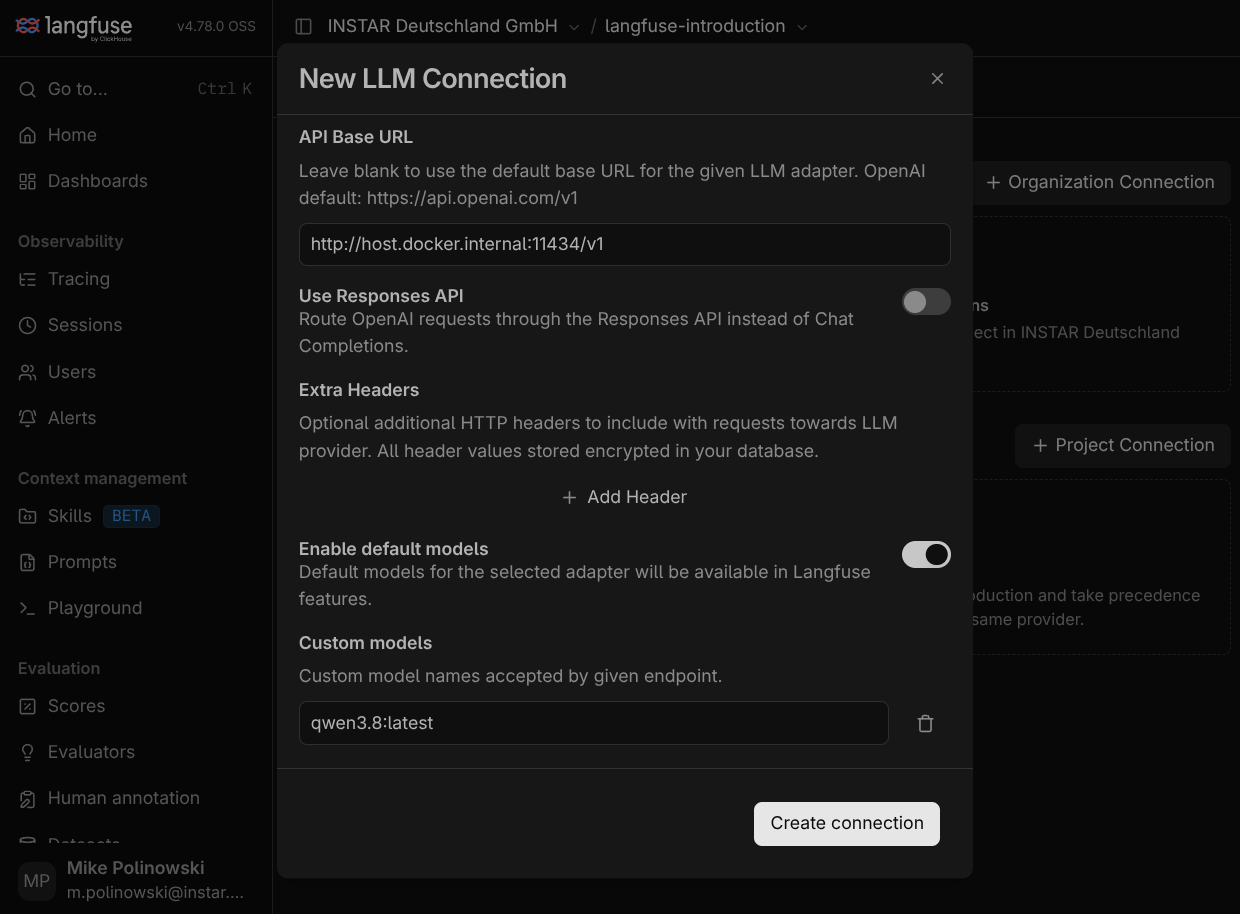
Now we can connect the local model by going inside the LangFuse project settings inside the UI add a new LLM connection. Choose openai as provider, give it a name and set the API key to something, e.g. ollama. The API Base-URL is http://host.docker.internal:11434/v1 and you can set your default model that will be loaded, e.g. qwen3.8:latest:
Firewall Issue
When trying to create the connection I ran into a firewall issue and kept receiving timeouts. So check what network the container use:
docker network ls

NETWORK ID     NAME               DRIVER    SCOPE
34a45873dd8e   bridge             bridge    local
f20ecc3cbd5c   host               host      local
a9089240236f   langfuse_default   bridge    local
2c6a9ed17bc4   none               null      local
Inspect the LangFuse network - in my case it runs on 172.18.0.0/16:
docker network inspect langfuse_default

[
    {
        "Name": "langfuse_default",
        "Id": "a9089240236f1186d904ba94d8ca66427ab494d372ad657ccef5a11b48cc6479",
        "Created": "2026-11-11T16:06:49.476193668+08:00",
        "Scope": "local",
        "Driver": "bridge",
        "EnableIPv4": true,
        "EnableIPv6": false,
        "IPAM": {
            "Driver": "default",
            "Options": null,
            "Config": [
                {
                    "Subnet": "172.18.0.0/16",
                    "Gateway": "172.18.0.1"
                }
            ]
        },
        ....
So make sure what ever firewall you use allows the incoming request - e.g. with ufw:
sudo ufw allow from 172.18.0.0/16 to any port 11434 proto tcp
Rule added
Now it works!
Langgraph -> Hello LangFuse
Basic Scaffolding
mkdir langgraph_hello_langfuse && cd langgraph_hello_langfuse && uv init
uv add langgraph langchain langchain-ollama langfuse python-dotenv
uv sync
which python
/usr/bin/python

source .venv/bin/activate

which python
~/rag-experiments/langgraph_hello_langfuse/.venv/bin/python
tree -L 4
.
├── .env
├── pyproject.toml
├── README.md
├── src
│   └── langgraph_hello_langfuse
│       ├── config.py
│       ├── graph.py
│       ├── __init__.py
│       ├── main.py
│       └── prompts
│           └── system.txt
└── uv.lock

4 directories, 8 files
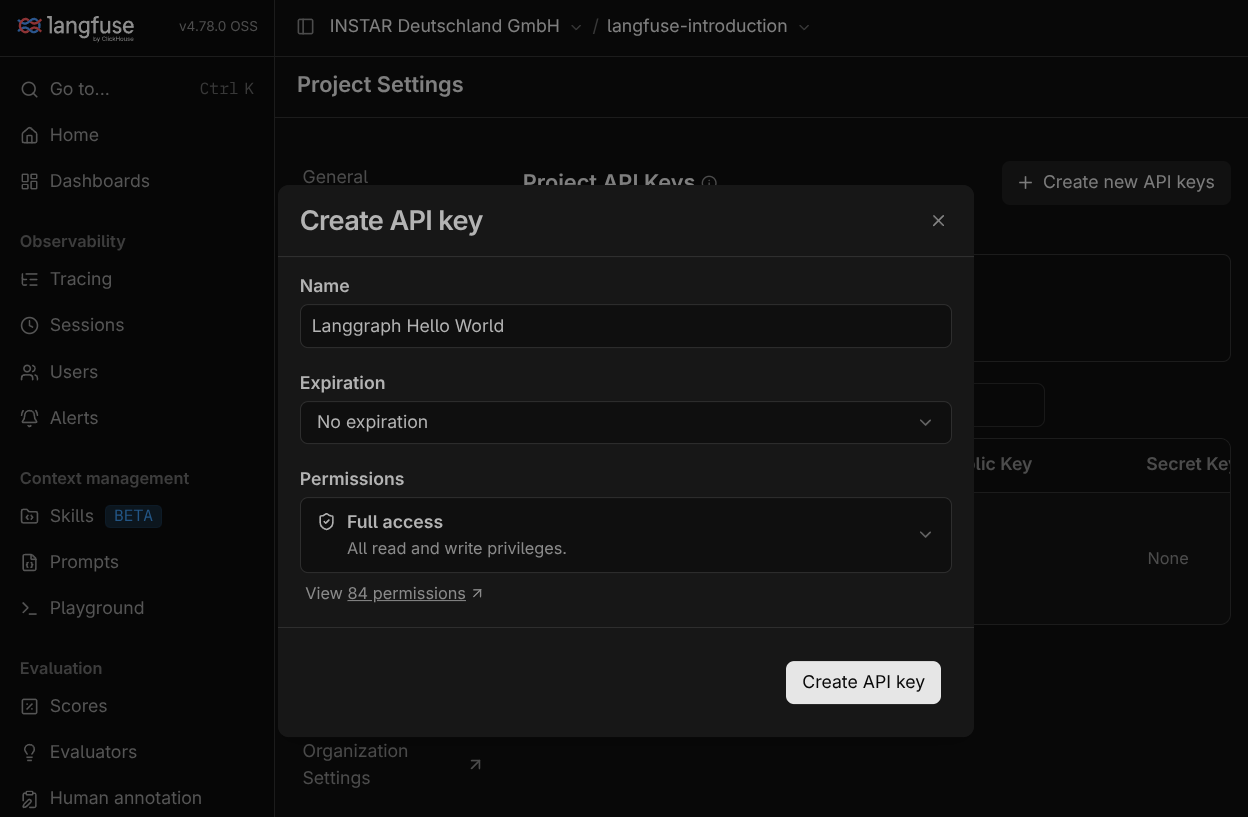
Generate a new API key for your project and add it to .env:
.env
# Ollama
OLLAMA_BASE_URL=http://localhost:11434
OLLAMA_MODEL=qwen3.8:latest

# LangFuse
LANGFUSE_SECRET_KEY="sk-lf-8cde87c1-0e38-4377-931b-a81ce931246e"
LANGFUSE_PUBLIC_KEY="pk-lf-50b371b7-cc5d-4dd3-90f4-f9bdb495425d"
LANGFUSE_BASE_URL="http://localhost:3000"
LANGFUSE_TRACING_ENVIRONMENT=development
prompts/system.txt
You are a helpful AI assistant. You are running locally through Ollama.
Your responsibilities:
- Give clear and accurate answers.
- Explain technical concepts in understandable language.
- Use examples whenever appropriate.
- Admit when you don't know something.
- Avoid inventing facts.
Keep answers concise unless more detail is requested.
Build the LangGraph
config.py
import os
from pathlib import Path

from dotenv import load_dotenv
from langchain_ollama import ChatOllama
from langfuse import get_client
from langfuse.langchain import CallbackHandler

PROJECT_ROOT = Path(__file__).resolve().parents[2]

load_dotenv(PROJECT_ROOT / ".env")

model = ChatOllama(
  model=os.getenv("OLLAMA_MODEL", "qwen3.8:latest"),
  base_url=os.getenv("OLLAMA_BASE_URL", "http://localhost:11434"),
  temperature=0.6,
)

langfuse = get_client()
langfuse_handler = CallbackHandler()
graph.py
from pathlib import Path

from langchain_core.messages import SystemMessage
from langgraph.graph import StateGraph, MessagesState, START, END

from .config import model

# load system prompt
SYSTEM_PROMPT = (Path(__file__).parent / "prompts" / "system.txt").read_text(encoding="utf-8")

# define graph node
def chatbot(state: MessagesState):
  messages = [
    SystemMessage(content=SYSTEM_PROMPT),
    *state["messages"],
  ]

  response = model.invoke(messages)

  return {"messages": [response]}

# build graph
builder = StateGraph(MessagesState)
builder.add_node("chatbot", chatbot)
builder.add_edge(START, "chatbot")
builder.add_edge("chatbot", END)

graph = builder.compile()
main.py
from langchain_core.messages import HumanMessage
from langfuse import propagate_attributes

from .config import langfuse, langfuse_handler
from .graph import graph

def main():
  print("\nLangGraph + Ollama + LangFuse")
  print("-------------------------------")

  while True:
    question = input("\nUser: ")

    if question.lower() in ["exit", "quit"]:
      break

    with propagate_attributes(
        trace_name="LangGraph Hello World",
        user_id="local-user",
        session_id="hello-world-session",
        tags=["hello-world", "ollama", "langgraph"],
        metadata={
        "model": "local-ollama",
        "environment": "development",
        },
    ):

        result = graph.invoke(
            {
            "messages": [
                HumanMessage(content=question)
            ]
            },
            config = {
            "callbacks": [langfuse_handler],
            "run_name": "chatbot-execution",
            },
        )

    answer = result["messages"][-1].content
    print(f"\nAssistant: {answer}")

  # send telemetry
  langfuse.flush()

if __name__ == "__main__":
  main()
Test Run
 python -m langgraph_hello_langfuse.main

LangGraph + Ollama + LangFuse
-------------------------------

User: How do MLFlow and LangFuse compare for tracking LangGraph applications?

Assistant: # MLFlow vs. LangFuse for Tracking LangGraph Applications

## Core Philosophy

| | **MLFlow** | **LangFuse** |
|---|---|---|
| Origin | General ML lifecycle (experiments, model registry, deployment) | LLM/GenAI observability & tracing |
| LangGraph fit | Works via LangChain callbacks; graph structure is secondary | Purpose-built for LLM graphs; LangGraph is a first-class citizen |

## LangGraph-Specific Tracing

**LangFuse**
- Automatically captures each LangGraph **node** as a span, the full **trace** as the end-to-end run, and individual LLM calls as **generations**.
- The UI renders the execution as a tree/hierarchy that mirrors your graph topology (conditional edges, loops, parallel branches).
- You can see state transitions, per-node latency, token counts, and costs without extra instrumentation.
- Integration is typically a single `CallbackHandler` passed into your graph's `invoke`/`stream` call.

**MLFlow**
- Tracks via LangChain's callback system, so you get per-LLM-call logs (prompt, completion, tokens).
- The "run" is a flat log of events; the **graph structure** (which node called which, branching logic) is less explicit in the UI.
- You can add custom `mlflow.log_param` / `mlflow.log_metric` calls inside nodes for extra context, but it's manual.
- Stronger when you also want to register the final model/pipeline artifact, track hyperparameters, or compare across many experiment runs.

## What You Get in the UI

- **LangFuse**: trace waterfall, token/cost breakdown per generation, prompt versioning, user/session grouping, annotation & evaluation workflows, latency percentiles.
- **MLFlow**: experiment dashboard with runs as rows, artifact browser, parameter comparison tables, model registry with stage transitions (staging → production).

## When to Pick Which

| Scenario | Better fit |
|---|---|
| You want to **debug a LangGraph run** (which node misbehaved, what state was passed, where tokens were spent) | **LangFuse** |
| You need **prompt versioning + A/B eval** tightly coupled to traces | **LangFuse** |
| You're tracking a **broader ML pipeline** (feature engineering → model training → LLM agent) in one place | **MLFlow** |
| You need a **model registry** with promotion workflows | **MLFlow** |
| You want **self-hosted, open-source** observability for LLMs specifically | **LangFuse** |
| You already have MLFlow in your stack and want minimal new tooling | **MLFlow** (with the caveat that graph-level visibility is weaker) |

## Practical Notes

- **Both are open-source** and can be self-hosted (Docker/K8s).
- **Both can coexist**: some teams use LangFuse for per-request tracing and MLFlow for experiment management / model registry.
- LangGraph's callback interface is the common bridge; neither requires forking the graph code.
- The LLM observability space is moving fast—check each project's latest release notes, as feature parity shifts frequently.

## TL;DR

If your primary question is *"What happened inside this LangGraph execution?"*, LangFuse gives you a more natural, graph-aware view out of the box. If your question is *"How does this agent version compare to the last three I tried, and can I promote the winner?"*, MLFlow's experiment + registry model is more mature. Many production teams end up using both for complementary purposes.

User: exit
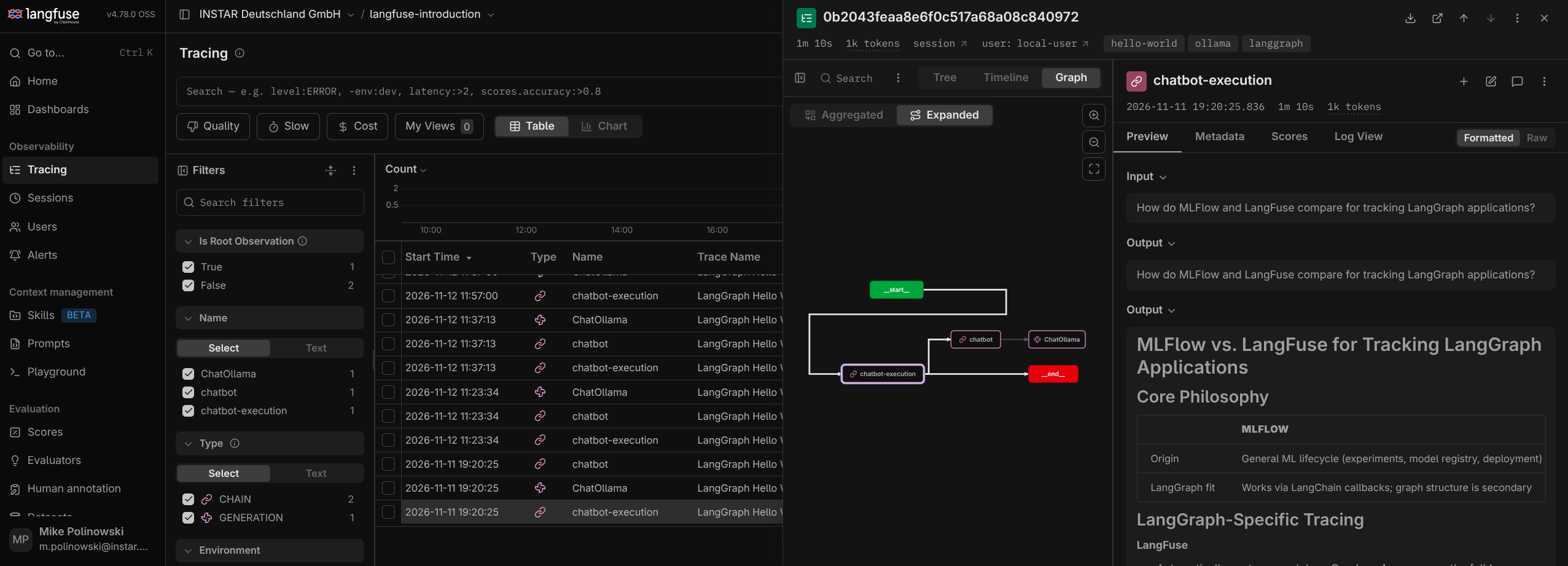
Adding API Costs
This is a fully local experiment - but we can add the API costs from any provider to calculate how much each request will cost us when we go online. For this open your project settings and define the model:
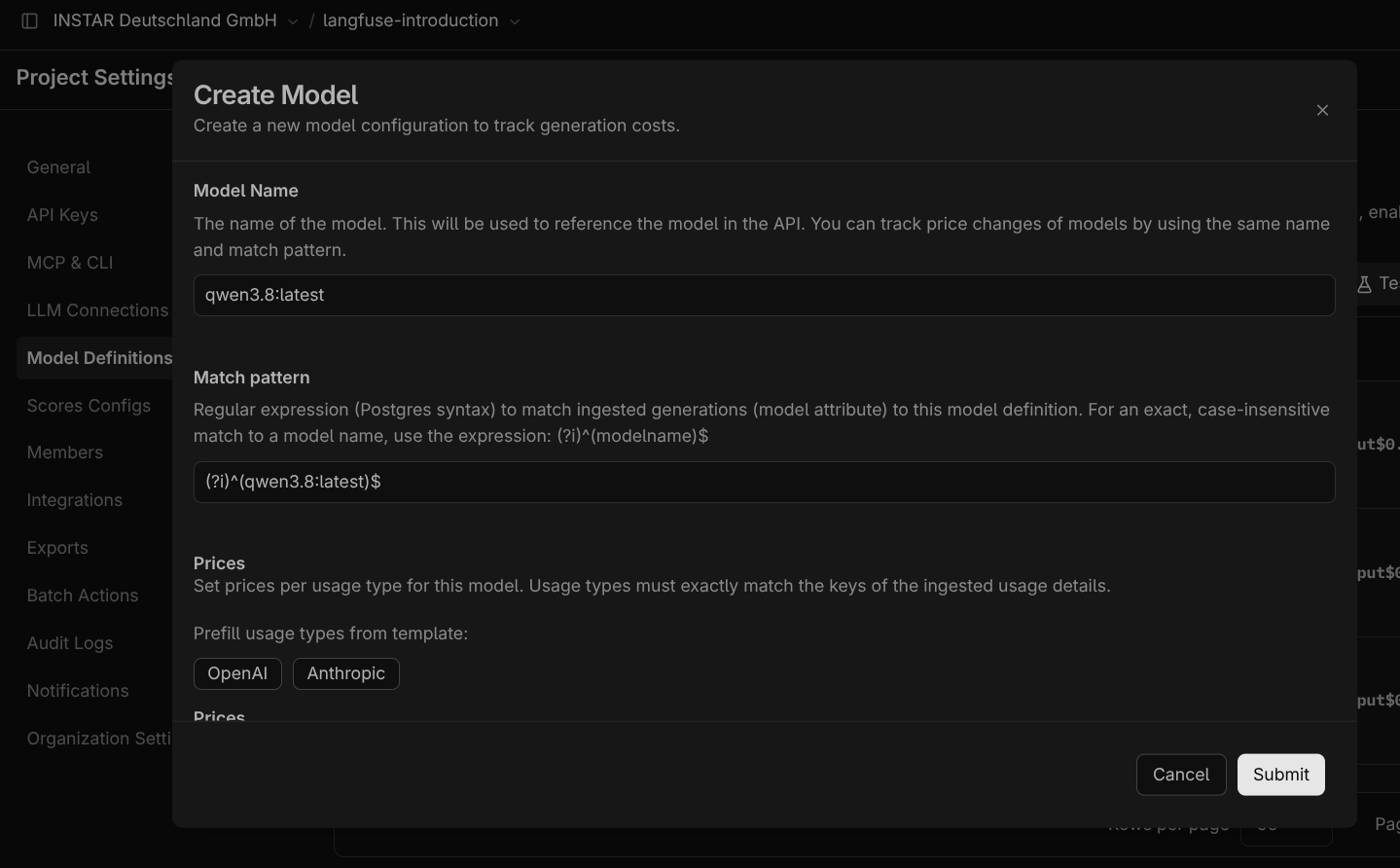
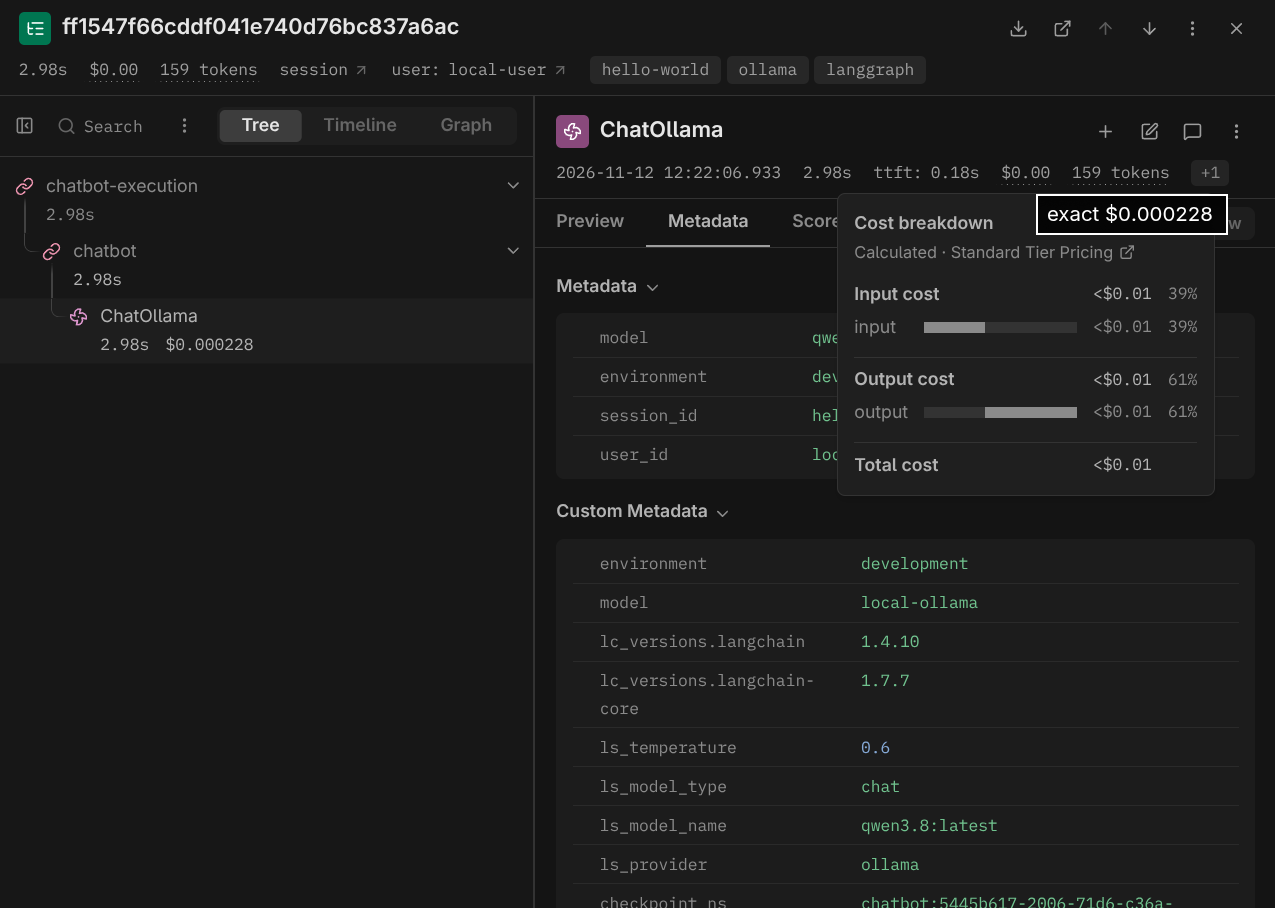
Below this you can set the estimated API token prices or just populate with the current OpenAI or Anthropic ones. After saving re-run the application. This time the cost will show up inside the trace together with the used token:
Observability through Metadata
You can filter traces by added metadata like session, experiment and user IDs - e.g.:
def main():
  session_id = str(uuid.uuid4())
  print("-------------------------------")
  print("LOGIN")
  username = input("\nUser Name: ")
  print(f"\nHi {username}! Your chat session ID is {session_id}")
  print("-------------------------------")

  while True:
    question = input(f"\nWhat is your question: ")

    if question.lower() in ["exit", "quit"]:
      break

    with propagate_attributes(
        trace_name="LangGraph Hello World",
        user_id=username,
        session_id=session_id,
        tags=["hello-world", "ollama", "langgraph"],
        metadata={
        "model": "local-ollama",
        "environment": "development",
        },
    ):
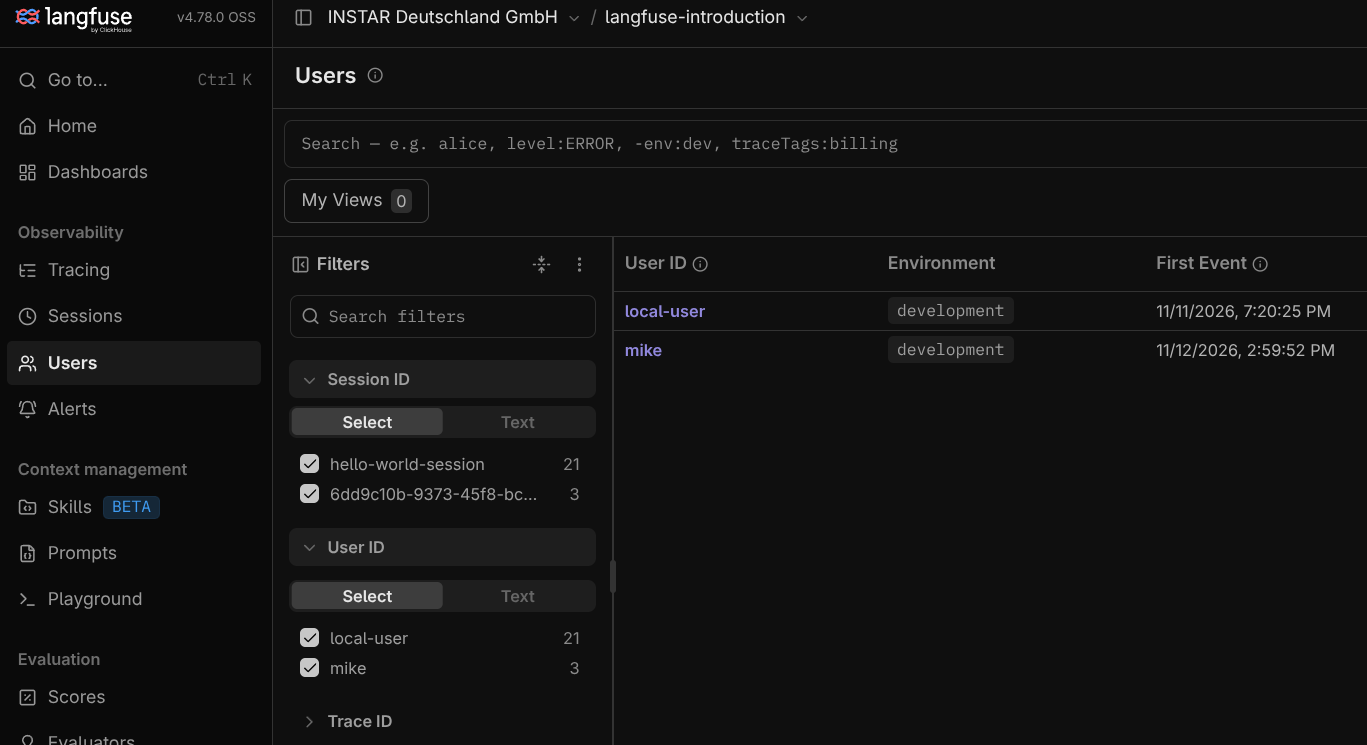
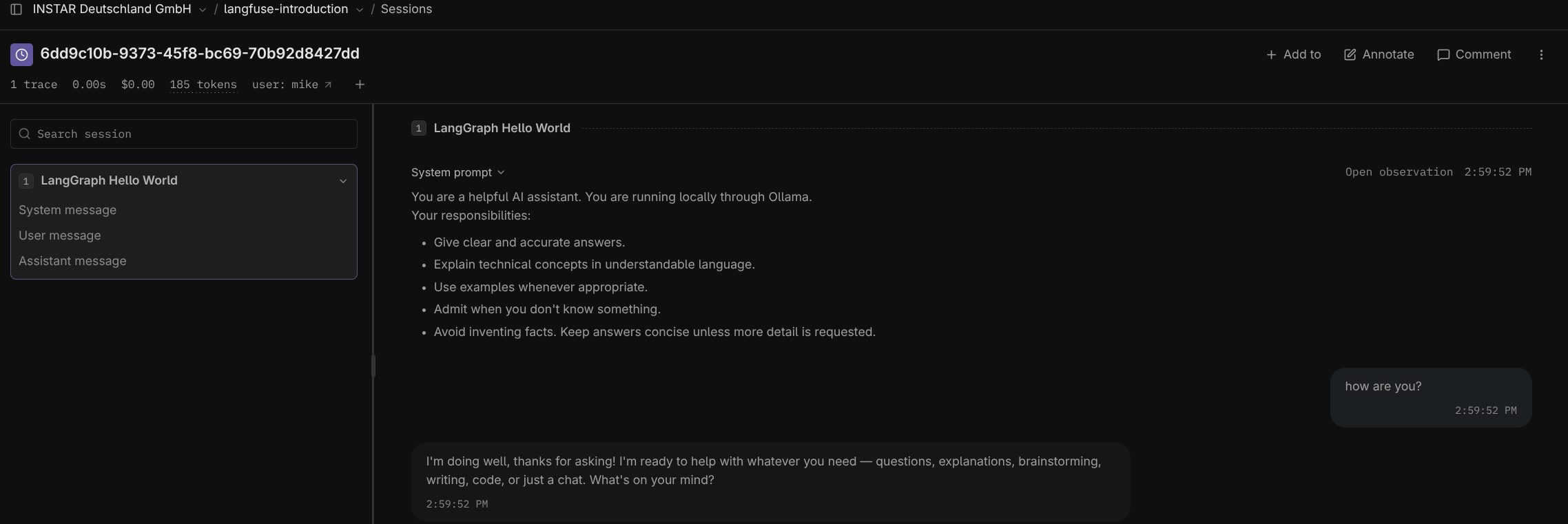
Here I replace the session and user ID with dynamic values that now show up as filter inside the Langfuse UI:
 ❯ python -m langgraph_hello_langfuse.main
-------------------------------
LOGIN

User Name: mike

Hi mike! Your chat session ID is 98ca9926-600f-4702-83b9-a1b509ec1b8c
-------------------------------

What is your question: how are you?

Assistant: I'm doing well, thanks for asking! I'm an AI, so no bad days or traffic jams for me. 😄

How about you — what can I help you with today?
----------------------------------
qwen3.8:latest token usage: 91, 91, 182
----------------------------------