LangFuse Prompt Metadata
Langfuse Prompt Management helps you centrally manage, version control, and collaboratively iterate on your prompts. Start using prompt management to improve your LLM application's performance and maintainability.
Prompt Experiment Config in Trace Metadata
Langfuse prompts can carry a config dict (e.g. {"prompt_experiment": "experiment_001"}). This variable can be set when creating the prompt version:
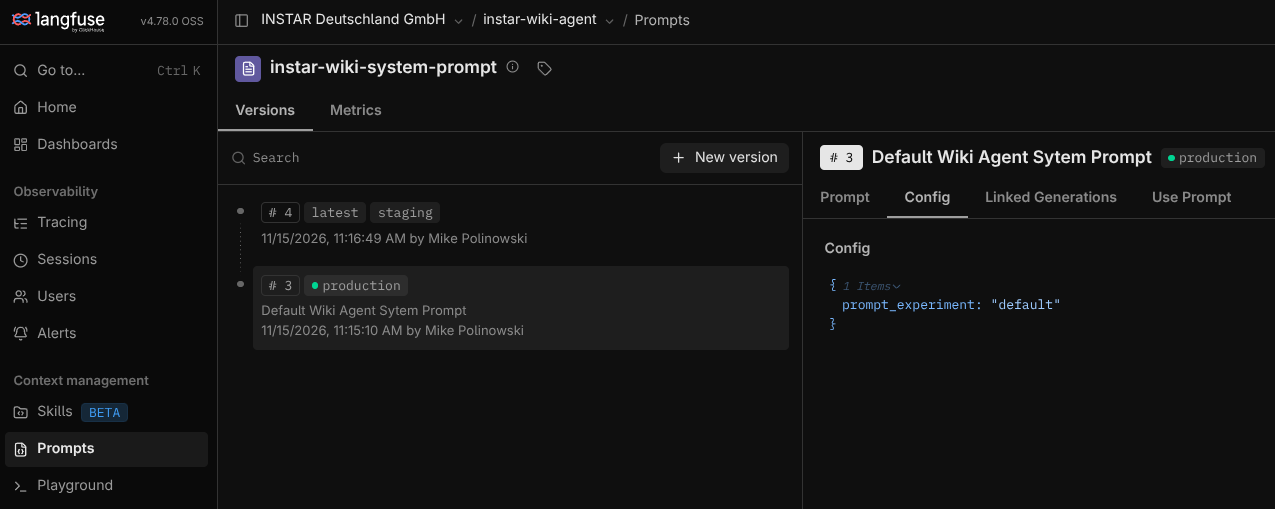
To surface the experiment tag in trace metadata, resolve the prompt with its config and tag the trace before it starts:
from instar_wiki_agent import langfuse_integration as lf

# 1. Resolve the prompt and its Langfuse config alongside.
#    config is the prompt's .config dict, or {} when the local fallback is used.
text, config = lf.prompt_text_with_config(SYSTEM_PROMPT_NAME, SYSTEM_PROMPT_FALLBACK)

# 2. Fold the experiment tag into the metadata dict ("" / missing → "default").
metadata = {
    "ab_label": ab_label,
    SYSTEM_PROMPT_NAME: config.get("prompt_experiment") or "default",
}

# 3. Hand it to the trace.
with lf.tracing(trace_name=TRACE_NAME, session_id=session_id, metadata=metadata):
    graph.invoke(...)
Notes:
- Key metadata by prompt name so a trace with several prompts tags each one independently (that's what _trace_metadata() in agent.py does for all four).
- prompt_text_with_config never raises — no tag, no server, offline: you get the resolved text plus , which is why the or "default" fallback matters.
- Resolution happens on first call and is cached per (name, label), so the metadata build is a cache hit in steady state. That's the whole mechanism. One thing to keep in mind: the tags must be resolved before lf.tracing(...) is entered, since that's when the trace opens — in the actual run functions that's why _trace_metadata(ab_label) sits in the with call's arguments, not inside the body.
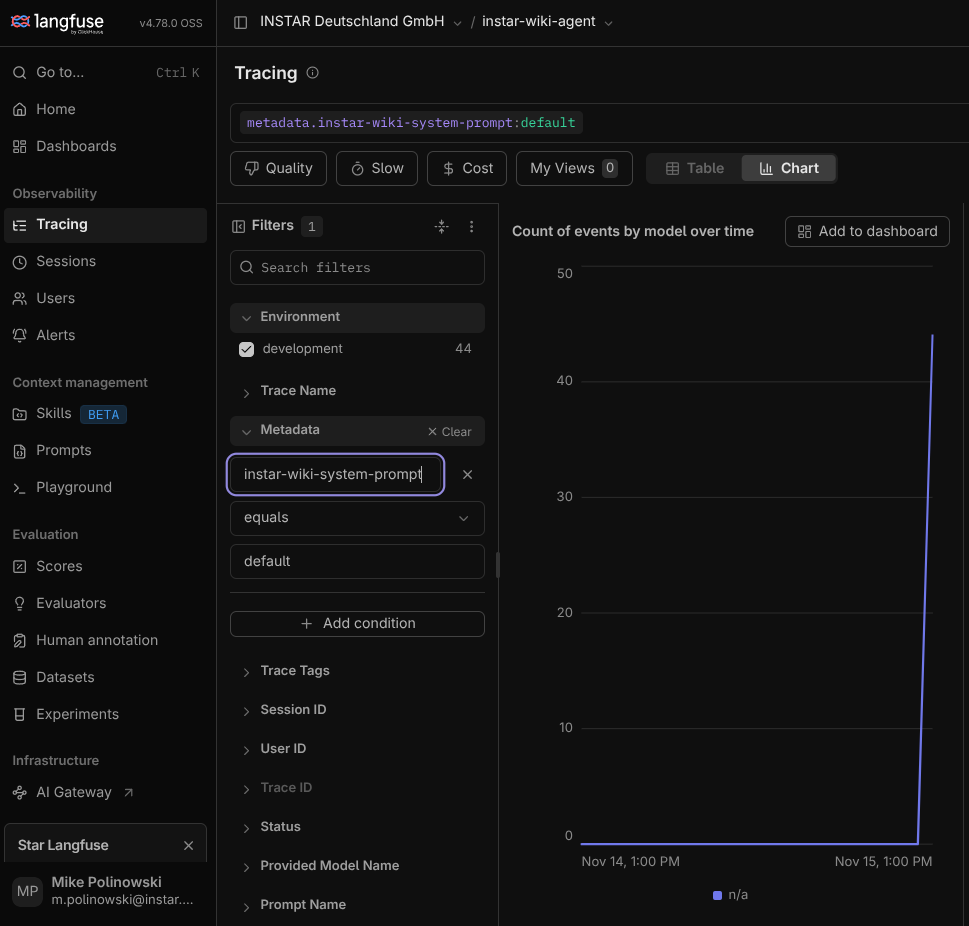
After executing your graph you can now filter by the prompt name and it's config value - here you see the instar-wiki-system-prompt that was used with the default prompt version (that means no A/B testing was used in this run):
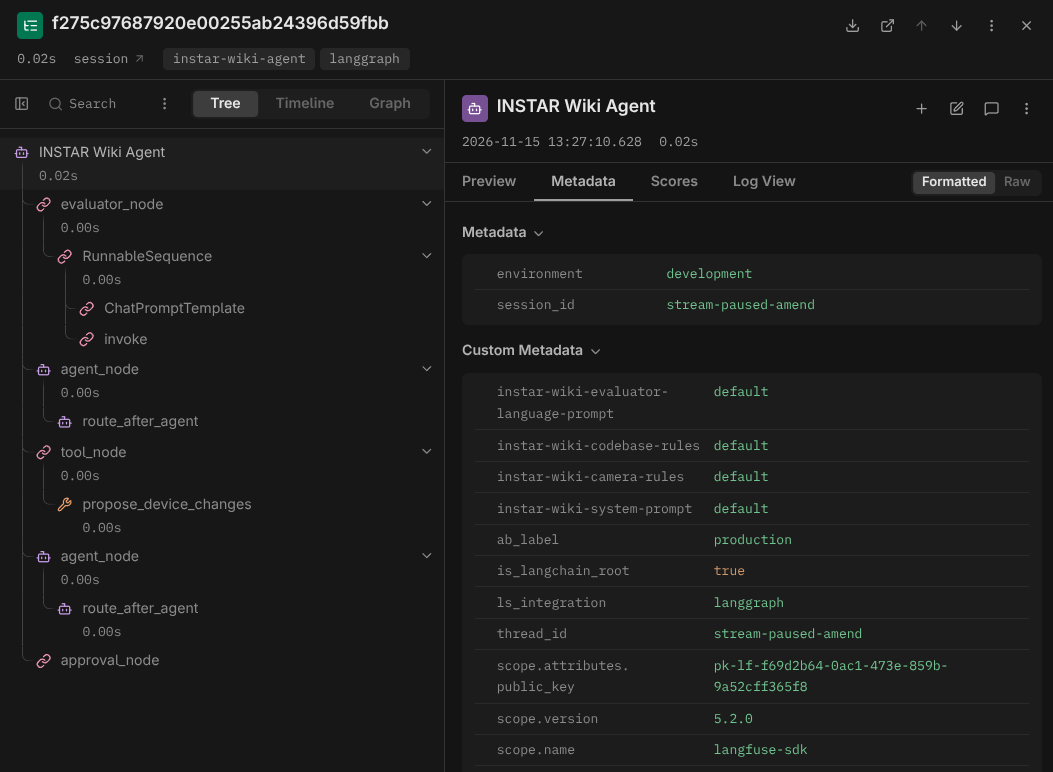
Clicking on the request trace shows you that all prompts in this run used the default prompt - no experiment was run: